Fridge Smart Features and Wi-Fi Connectivity: How to convenience in Everyday Life
Modern refrigerators are no longer just food storage devices—they’ve become an integral part of the smart home. Wi-Fi connectivity and intelligent features make the fridge more efficient, energy-efficient and user-friendly. In this article, we discuss how smart features in refrigerators add convenience to everyday life, which technologies work, and why you should consider them when buying.
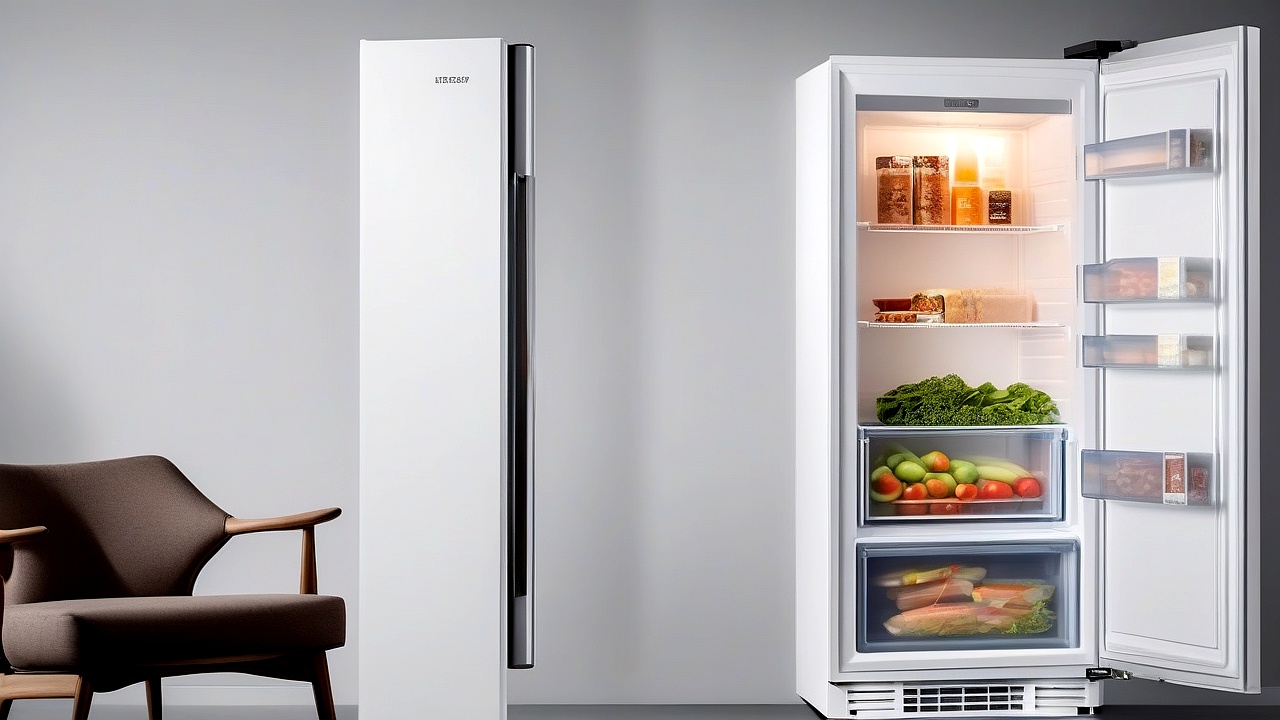
What are the key features of a smart fridge?
Features that smart fridges usually have are:
- Wi-Fi Connectivity: The fridge can be controlled through a smartphone app. Remotely change the temperature, check if the door is open, and even create a shopping list.
- Touch screen display: Some refrigerators have the ability for browsing the Internet, viewing recipes, and even using streaming services.
- Voice Control: The fridge can be controlled with voice commands via Google Assistant, Amazon Alexa or Apple’s Siri.
- Inner camera: Take pictures of the inside of the fridge and show them in the app, so you can easily remember what to buy when you go to the store.
- Automatic temperature control: Adjusts the temperature inside the fridge to keep food fresh for a long time.
- Energy Monitoring: Helps save energy by tracking power usage.
- Self-diagnostic feature: If there is a problem with the refrigerator, it automatically detects and alerts the user.
- Multi-zone cooling: Different temperatures can be set for different types of food.
How does Wi-Fi connectivity work?
Fridges with Wi-Fi connectivity usually work through a dedicated app (e.g. LG ThinQ, Samsung Family Hub, Bosch Home Connect). These apps connect to the fridge through a Wi-Fi network and allow the user to control it remotely.
Let’s take a closer look at how it works:
- Wi-Fi Module: Inside the fridge is a Wi-Fi module which connects to the router.
- App Installation: The user installs the official app of the fridge manufacturer on their smartphone.
- Login & Connection: Logging into the app with the model number and serial number of the fridge automatically connects it to the fridge.
- Command Execution: Any command sent by the user through the app reaches the fridge via Wi-Fi and the fridge acts accordingly.
Due to this technology, users can monitor the condition of the fridge even when they are not at home and make changes if necessary.
What are the benefits of a smart fridge?
1. Remote control and monitoring
When you are at the office or at the store, you notice that the fridge door is left open. You can turn off the fridge immediately through the Smart Fridge app. Again, you can check the temperature inside the fridge to see if the food is okay.
2. Food management becomes easy
Many smart fridges have an inner camera, through which pictures of the inside of the fridge can be taken and viewed in the app. As a result, it is easy to remember what to buy when going to the store. Some fridges also have an expiry date tracker, which reminds you when food has expired.
3. Energy saving and cost reduction
Smart fridges have energy monitoring features, which track electricity consumption. Through this, users can understand when the fridge is consuming more energy and can reduce consumption accordingly. As a result, the electricity bill also comes down.
4. Easier use with voice control
The fridge can be controlled with voice commands via Google Assistant or Amazon Alexa. For example: “Hey Google, set the freezer temperature to -18°C”, the freezer will change the temperature accordingly.
5. Automatic error detection
Smart fridges have a self-diagnostic feature, which alerts the user if there is a problem with the fridge. For example: If the refrigerator door is not closed properly or the temperature is abnormal, the app will notify you. As a result, it can be solved quickly.
6. Recipes and Internet Browsing
Some high-end smart fridges have a touch screen display, which allows you to browse the internet, view recipes and even use streaming services. As a result, cooking ideas can be seen standing in front of the fridge.
What to consider when buying a smart fridge?
A few important things to consider before buying a smart fridge:
1. Wi-Fi Speed and Connectivity
Check if the Wi-Fi connectivity of the fridge is good. A weak Wi-Fi signal can reduce the performance of the fridge.
2. App’s User Interface and Features
Check how user-friendly the app is. Many apps have extra features but can be difficult to use.
3. Energy Saving Capability
Smart fridges generally consume more energy. So one should buy an Energy Star certified fridge, which is energy efficient.
4. Internet browsing and multimedia features
If you want to do Internet browsing or streaming on the fridge, then buy a fridge with a touch screen display. However, such fridges are usually more expensive.
5. Voice Assistant Support
Check if it supports Google Assistant, Amazon Alexa or Apple’s Siri. Voice control makes using the fridge easier.
6. Price and Brand Reputation
Smart fridges are usually more expensive. So choose the right model according to the budget. Brand reputation, warranty and customer support are also important to consider.
Some Popular Smart Fridge Models
There are several popular smart fridges available in the market today. Below are some notable model features:
| Model Name | Brand | Key Features | Price Range (Approximate) |
|---|---|---|---|
| Samsung Family Hub 3.0 | Samsung | 21.5 Inch Touch Screen, Internet Browsing, Recipe Viewing, Voice Control, Inner Camera | $3,500 – $4,500 |
| LG InstaView ThinQ | LG | Wi-Fi Connectivity, Voice Control, Inner Camera, Automatic Temperature Control | $2,500 – $3,500 |
| Bosch 800 Series | Bosch | Energy Star Certified, Automatic Temperature Control, Voice Control, Self-Diagnostic | $2,000 – $3,000 |
| Whirlpool WRX735SDHZ | Whirlpool | Wi-Fi Connectivity, Inner Camera, Energy Monitoring, Automatic Temperature Control | $1,800 – $2,500 |
| GE Profile PFE28KYNFS | GE | Touch Screen Display, Voice Control, Inner Camera, Energy Monitoring | $1,500 – $2,200 |
Some tips for using a smart fridge
Keeping a few things in mind while using a smart fridge makes it more efficient. Although controlled through an app, a few small habit changes can improve the performance of the fridge. Let’s know some important tips:
- Update the app regularly: Keep the official app of fridge maker updated regularly. Along with the use of new features, the security layer of the app is also strengthened. Sometimes older app versions may contain bugs, which can affect the automatic features of the fridge.
- Keep Wi-Fi Network Strong: Fridge Wi-Fi connectivity depends on your internet speed and router location. Place the fridge close to the router or use a powerful Wi-Fi extender. Real-time monitoring may be slow on low-speed Internet.
- Give voice commands clearly: Speak clearly when using voice control. Sometimes even a slight mistake in pronunciation does not allow the fridge to understand the command properly. For example, saying “set the fridge temperature to 4 degrees Celsius” will work correctly.
- Check the inner camera regularly: Monitor the condition of the food regularly with the camera inside the fridge. Take a picture through the app to see which food is running out or which has been kept for too long. This reduces the chance of food wastage and also makes creating shopping lists easier.
- Use the energy monitoring feature: Track the energy consumption of the refrigerator. Most smart fridges feature a power consumption graph. Analyze it to see when it consumes more electricity and optimize the fridge settings accordingly.
- Monitor Self-Diagnostic Feature: If there is a problem with the fridge, it automatically detects and sends notifications to the app. Keep this feature turned on and monitor it regularly. Contact the manufacturer’s customer care immediately if any error code is displayed.
Additional Tips for Food Stock Management
The biggest advantage of a smart fridge is food stock management. But many people don’t know how to use this feature fully. Following the tips below will make managing your fridge food easier:
- Set shelf life reminders: Many models have a food shelf life reminder feature in the fridge app. For example, get a notification from the app a few days before milk or eggs expire. It can be used before the food spoils.
- Create grocery list: Create a grocery list automatically through the app. The app will create a grocery list based on the food in the fridge. As a result, there is no chance of forgetting when going to the store.
- Track food location: See what food is stored where with the fridge’s inner camera. Many times the food left in the back of the fridge gets wasted due to forgetting. Tracking the location of food via the app will no longer happen.
Ensure the security and privacy of smart fridges
It is natural to be concerned about security and privacy when using a smart fridge. Because the fridge is connected to the internet, there is a risk of hacking. Following the steps below will ensure the safety of your fridge:
- Use a strong password: Always use a strong password when logging into the fridge app. Avoid using simple passwords like “123456” or “password”.
- Enable two-factor authentication: Most smart fridge apps have a two-factor authentication (2FA) option. Leaving it on makes it almost impossible for hackers to take control of the fridge.
- Check App Permissions Regularly: Regularly review what permissions are granted to fridge apps. If additional permissions are granted, remove them.
- Update Fridge Firmware: Fridge manufacturers release firmware updates regularly. Installing these updates makes the fridge’s security system stronger.
Smart fridge battery backup and power outage management
Many people don’t know how a smart fridge works during a power outage. Most smart fridges don’t have battery backup, but some premium models have UPS systems. Below are some important tips:
- Check battery backup of fridge: Before buying a fridge, check if there is battery backup. If not, use a UPS system so that the fridge’s apps and sensors can function during power outages.
- What to do during a power outage: Avoid opening the refrigerator door when the power goes out. This causes the temperature inside the fridge to rise rapidly and food spoilage is possible. Monitor the fridge temperature through the app and use the generator if necessary.
- Use a smart plug: Connect the fridge to a smart plug. It can be tracked through the app even if the power supply to the fridge is cut off during a power outage.
Future Possibilities of Smart Fridges
With the advancement of technology, the features of smart fridges are also improving day by day. In the future, smart fridges will become more intelligent and play a greater role in our daily lives. Let’s know about the future possibilities of smart fridges:
1. Artificial Intelligence (AI) Based Food Management
Future smart fridges will use artificial intelligence (AI). The fridge itself will analyze the food stock to create a list of essentials and offer recipe suggestions. For example, the app will tell you what to cook with the ingredients in the fridge.
2. Automated Food Ordering System
In the future, smart fridges will be able to automatically order food. It will automatically order from online grocery stores when the stock of food in the refrigerator is low. As a result, there will be no need to go to the store.
3. Health monitoring feature
Future smart fridges will include health monitoring features. It will analyze the nutritional value of the food kept in the refrigerator and inform it through the app. For example, analyzing the amount of sugar, salt or fat in refrigerated food can help with healthy eating.
4. Virtual Reality (VR) Integration
Future smart fridges will be connected with virtual reality (VR) technology. The pictures taken by the internal camera of the fridge can be viewed through VR glasses. As a result, the inside of the fridge can be seen virtually without opening it.
Conclusion
A smart fridge is not just an ordinary fridge; it can make your daily life easier and more convenient. By using advanced features like Wi-Fi connectivity, voice control, inner camera, automatic fault detection, you can control every moment of the fridge. But to fully enjoy these benefits, there are some important things to keep in mind:
First, it is important to keep the app updated regularly and the Wi-Fi network strong. Poor internet connection can disrupt real-time monitoring of the fridge. Second, speak clearly while using voice commands and check the inner camera regularly to stay updated on food status.
Third, try to reduce power consumption by using the energy monitoring feature. Most smart fridges feature graphs of power usage, which can be analyzed to optimize fridge settings. Fourth, use strong passwords and two-factor authentication to ensure fridge security and privacy.
Finally, compare the features and prices of different models before buying a fridge. Choose the best fridge according to your needs and budget from popular models like Samsung Family Hub, LG InstaView ThinQ, Haier Smart Fridge. Remember, a smart fridge is not just an appliance; it is an important part of your kitchen that will make everyday life more enjoyable.
So don’t delay and think about buying a smart fridge now and add this benefit of technology to your life. Remember, with proper care and use, your smart fridge will work reliably for years.

About the Author
Hi I am an Engineer I have passed my diploma in Engineering in 2007. Academically I have studied about home appliances and various motors and machineries. In 2012 I have started my blogging and learned a lot of things about home appliances especially washing appliances, washing and cleaning related products, and eequipments. In 2019 I have started my blog https://appliancesky.com to provide my research and experience with my fan and followers.