How Booster Fans Help Long-Distance Dryer Vent Pipe Runs (Over 35 Feet)
Why a 35-Foot Dryer Vent Pipe Is a Problem
When your dryer vent pipe length exceeds 35 feet, several problems are encountered. First, hot air and moisture cannot escape easily through these long pipes, leading to lint buildup. Secondly, additional pressure is placed on the dryer, resulting in increased energy consumption and longer drying time. Most importantly, there is a significant risk of creating a fire hazard in this condition, as lint can cause the pipe to catch fire.
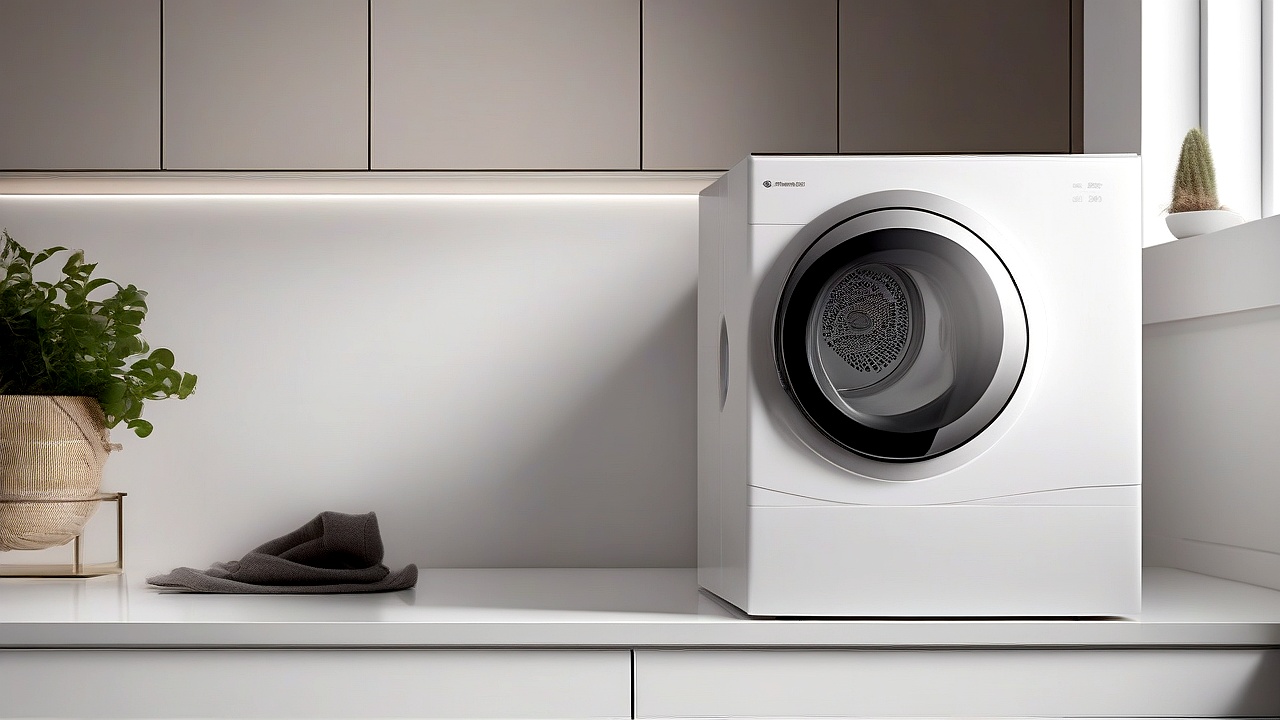
Furthermore, it is often seen that due to long pipes, overheating occurs inside the dryer, thereby shortening the lifespan of the appliance. So, if your dryer vent pipe length is more than 35 feet, you must consider using a booster fan.
How does a booster fan work?
A booster fan is a device that increases airflow through the dryer vent pipe. It is usually equipped with a high-power fan, which removes lint and moisture quickly. There are two types of booster fans:
- Inline booster fan: It is placed directly inside the vent pipe. The advantage of this type of fan is that it increases the airflow throughout the pipe.
- Exhaust booster fan: It is attached to the dryer and exhausts the air directly to the outside. This type of fan is generally more effective for short lengths of pipe.
The main function of a booster fan is to increase air pressure, so that hot air and moisture can escape easily. This improves the performance of the dryer and reduces energy consumption.
Advantages of using a booster fan
If your dryer vent pipe is longer than 35 feet, using a booster fan has several advantages:
- Reduces drying time: Using the booster fan allows the hot air inside the dryer to escape faster, thereby drying the clothes faster.
- Reduces energy consumption: When the excess pressure on the dryer is reduced, it consumes less power. As a result, the electricity bill is reduced.
- Reduces fire hazard: Fire hazard is reduced by reducing lint buildup.
- Increases the life of the dryer: Due to the reduction of excess pressure, the stress on the various parts of the dryer, like the motor and heating element, is reduced, thereby increasing their life.
- Improves indoor air quality: When moisture and lint are removed quickly, indoor air is cleaner.
Things to consider while choosing a booster fan
There are several important factors to consider while choosing a booster fan. Those issues are discussed in detail below:
1. Fan’s Power and CFM Rating
The most important thing while choosing a booster fan is its power and CFM (cubic feet per minute) rating. The higher the CFM rating, the higher the airflow capacity of the fan. Generally, a 200-300 CFM rating fan should be selected for lengths greater than 35 feet.
For example, the AC Infinity Cloudline T7 is a popular booster fan with a CFM rating of 205, which is appropriate for this length of vent pipe.
2. Noise Level
It is important to consider the noise level when choosing a booster fan. If the fan’s noise level is high, it can make your room environment annoying. Generally, the noise level should be between 30-50 dB.
For example, the Honeywell HT-900 is a low-noise booster fan with a noise level of only 30 dB.
3. Installation Process
When selecting a booster fan, the installation process should be considered. Some fans have a very simple installation process, while others are more complex. Typically, the installation process for an inline booster fan is relatively straightforward.
For example, the iPower INLINE 4 is an easy-to-install booster fan that comes with necessary accessories.
4. Durability and Warranty
When selecting a booster fan, its durability and warranty should be considered. A high-quality booster fan operates effectively for a long time and usually comes with a good warranty. Typically, a 1-2 year warranty is provided.
For example, the Broan-NuTone 688 is a durable booster fan that comes with a 1-year warranty.
5. Price
When selecting a booster fan, its price should be considered. Booster fans from different brands are available at various prices. Typically, the price range is between $50 and $200.
For example, the Lasko 3733 is an affordable booster fan priced around $60.
Top 5 Booster Fans for Long Dryer Vent Pipes (35+ Feet)
Below is a comparison of five popular booster fans suitable for dryer vent pipes longer than 35 feet:
| Model Name | CFM Rating | Noise Level (dB) | Power (Watt) | Warranty (Years) | Price Range (USD) |
|---|---|---|---|---|---|
| AC Infinity Cloudline T7 | 205 | 32 | 120 | 1 | $120 – $150 |
| Honeywell HT-900 | 190 | 30 | 100 | 2 | $80 – $100 |
| iPower INLINE 4 | 210 | 35 | 150 | 1 | $90 – $120 |
| Broan-NuTone 688 | 220 | 40 | 180 | 1 | $150 – $180 |
| Lasko 3733 | 180 | 38 | 90 | 1 | $60 – $80 |
Booster Fan Installation Guide
Follow the steps below to install a booster fan:
Step 1: Gather Necessary Tools
- Booster fan
- Screwdriver
- Duct tape or aluminum tape
- Accessories for the vent pipe
- Wire stripper (if electrical connection is required)
Step 2: Determine the Position of the Booster Fan
Place the booster fan typically in the middle of the vent pipe. Position it so that the fan’s airflow spreads evenly throughout the pipe.
Step 3: Connect the Booster Fan to the Vent Pipe
Follow these steps to connect the booster fan to the vent pipe:
- Use the necessary clamp or tape to attach the vent pipe to both ends of the booster fan.
- Follow the instruction manual provided with the fan to properly connect it to the vent pipe.
- After connecting, seal the joints thoroughly with duct tape or aluminum tape to prevent any air leaks.
Step 4: Establish Electrical Connection
If the booster fan requires an electrical connection, follow these steps:
- First, turn off the main power switch.
- Connect the wires provided with the booster fan correctly.
- Insulate the wires properly.
- Turn the power switch on and test the fan’s functionality.
Step 5: Test the Fan’s Functionality
After installing the booster fan, always test its functionality. To do this:
- Turn on the dryer and check if the hot air and moisture are escaping quickly.
- If any issues arise, recheck the installation process.
Booster Fan Maintenance Tips
Regular maintenance is crucial to extend the life of the booster fan and ensure its proper functionality. Below are some important maintenance tips:
1. Regular Cleaning
The fan blades and vent pipe should be cleaned regularly. To do this:
- Clean the fan blades at least once a month.
- Remove any accumulated lint and dust.
- Clean the inside of the vent pipe if any lint has accumulated.
2. Check Electrical Connections
Regularly inspect the electrical connections of the booster fan. If any wires are loose or damaged, fix them immediately.
3. Lubricate the Fan
If the booster fan’s motor requires lubrication, do so regularly. This reduces the fan’s noise level and extends its life.
4. Test Fan Performance
Test the booster fan’s performance every three months. If you notice reduced airflow, clean the fan or replace it if necessary.
Common Problems and Solutions When Using a Booster Fan
You may encounter some common issues when using a booster fan. Below are those problems and their solutions:
1. Fan Will Not Turn On
Possible Causes: Electrical connection issues, a faulty motor, or a broken switch.
Solution: First, check the electrical connection. If no issues are found, inspect the power supply. Sometimes, the problem may be with the power outlet. Try changing the outlet or test it with another device. If the power supply is fine, the switch may need replacement. Use a multimeter to test the switch. If the switch is working, the motor may be faulty. In this case, you may need to replace the motor or the entire fan.
2. Fan Turns On but Does Not Work or Operates Weakly
Possible Causes: Obstruction in the vent pipe, dirt buildup on the fan blades, or a weak motor.
Solution: First, clean the vent pipe. Any lint, dust, or other objects stuck inside the pipe can hinder the fan’s performance. Use a vent cleaning brush or hire a professional cleaning service. If the pipe is clean, clean the fan blades. Use a soft brush or cloth to remove dirt buildup on the blades. If the issue persists, the motor may be weak. In this case, motor replacement may be necessary.
3. Fan Turns Off Suddenly After Starting
Possible Causes: Overheating, electrical connection issues, or a faulty thermostat.
Solution: If the fan turns off suddenly, first check its location. If the fan is placed in a closed space, it may overheat. Ensure there is enough space around the fan for proper airflow. If the space is adequate, check the electrical connection. Loose connections or short circuits can cause the fan to turn off suddenly. If the electrical connection is fine, check the thermostat. You may need to replace the thermostat.
4. Fan Makes Unusual Noise After Starting
Possible Causes: An object stuck on the fan blades, motor issues, or improper installation.
Solution: First, inspect the fan blades. Any object stuck on the blades can cause noise. Clean the blades and remove any objects. If the blades are clean, check the motor. Issues with the motor bearings can cause noise. In this case, motor replacement may be necessary. If the motor is fine, check the installation. Improper installation can also cause noise. Recheck the installation or seek professional help if needed.
5. Fan Performance Decreases Over Time
Possible Causes: Dirt buildup on the fan blades, a weak motor, or obstruction in the vent pipe.
Solution: The primary cause of reduced performance is dirt buildup on the blades. Clean the blades regularly. If cleaning the blades does not improve performance, the motor may be weak. In this case, motor replacement may be necessary. If the motor is fine, clean the vent pipe. Any obstruction in the pipe can reduce the fan’s performance. Hire a professional cleaning service to clean the pipe.
| Problem | Possible Causes | Solutions |
|---|---|---|
| Fan will not turn on | Electrical connection issues, faulty motor, broken switch | Check electrical connection, inspect power supply, replace switch, replace motor |
| Fan turns on but does not work or operates weakly | Obstruction in vent pipe, dirt buildup on blades, weak motor | Clean pipe, clean blades, replace motor |
| Fan turns off suddenly after starting | Overheating, electrical connection issues, faulty thermostat | Increase space, check connection, replace thermostat |
| Fan makes unusual noise | Object stuck on blades, motor issues, improper installation | Clean blades, replace motor, recheck installation |
| Fan performance decreases over time | Dirt buildup on blades, weak motor, obstruction in vent pipe | Clean blades regularly, replace motor, clean pipe |
Booster Fan Safety Tips
Follow these safety tips when using a booster fan to improve its performance and avoid accidents.
1. Electrical Safety
- Power Supply: Always use a grounded outlet to power the fan. Using an ungrounded outlet poses a risk of electrical shock.
- Extension Cord: If connecting the fan using an extension cord, use a heavy-duty cord. Thin cords pose a risk of overheating.
- Water Contact: Avoid any contact between the fan and liquids. Contact with liquids poses a risk of electrical shock.
2. Installation Safety
- Stable Position: Ensure the fan is placed in a stable position. An unstable fan can fall and cause damage.
- Proper Ventilation: Keep enough space around the fan for proper airflow. Placing the fan in a closed space poses a risk of overheating.
- Professional Help: If you encounter any issues while installing the fan, seek professional help. Attempting to install it yourself can be dangerous.
3. Maintenance Safety
- Power Off: Always turn off the power before performing maintenance on the fan. Performing maintenance with the power on poses a risk of electrical shock.
- Sharp Objects: Do not use sharp objects to clean the fan. Sharp objects can damage the blades.
- Regular Check: Regularly check the fan’s performance. Address any issues immediately.
Conclusion
A booster fan is an important device for long-distance dryer vent pipes. It improves dryer performance and helps reduce energy consumption. However, you may encounter some common issues when using a booster fan, such as the fan not turning on, operating weakly, turning off suddenly, making unusual noise, or experiencing reduced performance. Knowing the solutions to these problems will help you resolve issues easily.
When selecting a booster fan, consider factors like power, CFM rating, noise level, installation process, durability, warranty, and price. Choose the right fan for your needs from the list of top 5 booster fans. Follow safety tips during installation and perform regular maintenance to ensure the fan operates effectively for a long time.
If you encounter any issues while using a booster fan, follow the solutions provided in this article. If the problem persists, seek professional help. Proper use and maintenance of the booster fan will help improve your dryer’s performance and save energy.
So, do not delay—select a suitable booster fan for your dryer vent pipe today and improve your dryer’s performance.

About the Author
Hi I am an Engineer I have passed my diploma in Engineering in 2007. Academically I have studied about home appliances and various motors and machineries. In 2012 I have started my blogging and learned a lot of things about home appliances especially washing appliances, washing and cleaning related products, and eequipments. In 2019 I have started my blog https://appliancesky.com to provide my research and experience with my fan and followers.